
Managing your schedule as a personal trainer shouldn’t feel like a second job. Between client bookings, cancellations, rescheduling, and no-shows, scheduling can consume hours of your week — time that should be spent coaching, marketing, or simply living your life.
The right scheduling software eliminates this friction. It lets clients book sessions on their own, sends automatic reminders to reduce no-shows, and gives you a clear view of your week at a glance.
In this guide, we compare the best personal trainer scheduling software available in 2026, breaking down features, pricing, and which platform fits different coaching setups.
What to Look for in Scheduling Software
Not all scheduling tools are created equal. Before comparing platforms, here’s what matters most for personal trainers:
- Online booking: Clients should be able to book, reschedule, and cancel sessions without texting or calling you
- Automated reminders: SMS and email reminders that reduce no-shows (typically by 30–50%)
- Calendar sync: Two-way sync with Google Calendar, Apple Calendar, or Outlook
- Recurring sessions: Easy setup for clients who train on a regular weekly schedule
- Payment integration: Collect payments at the time of booking or manage packages
- Cancellation policies: Enforce cancellation windows and charge for late cancellations or no-shows
- Group booking: If you offer small group training, you need multi-client session support
- Mobile access: Manage your schedule from your phone between sessions
1. Trainero — Best All-in-One Solution
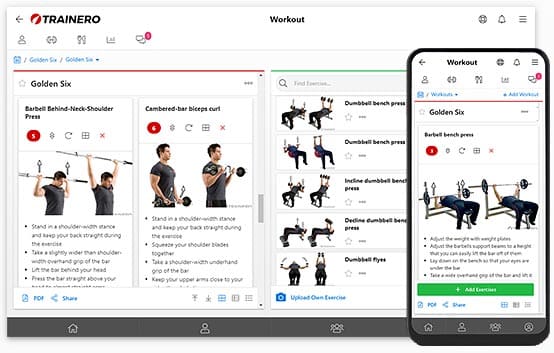
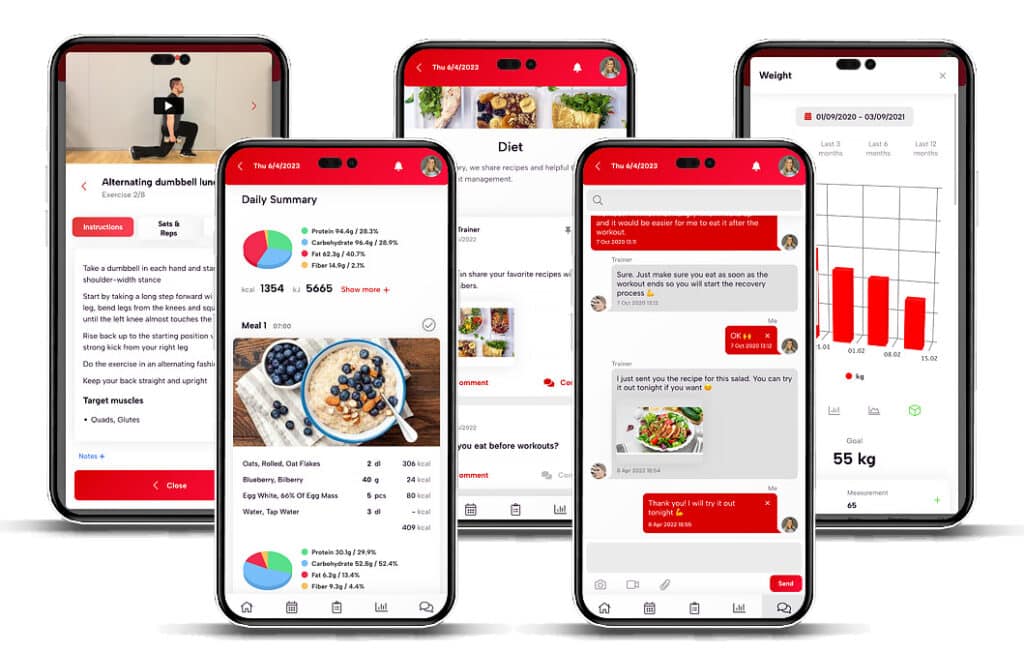
Trainero isn’t just scheduling software — it’s a complete personal training platform that includes a fully featured booking calendar as part of an integrated coaching system. Your schedule, programmes, client communication, and progress tracking all live in one place.
Scheduling features:
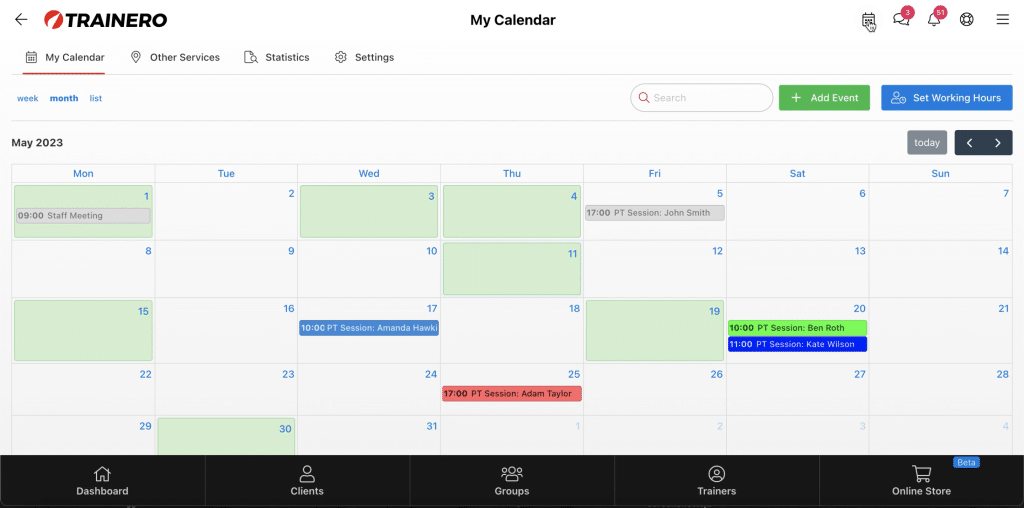
- Booking calendar with working hours: Set your available hours so clients can see exactly when you’re bookable and book directly from your calendar
- Client self-booking: Clients can register for events themselves — no back-and-forth required
- Group sessions with waitlist: Set a maximum number of attendees per event and enable a first-come, first-served queue automatically
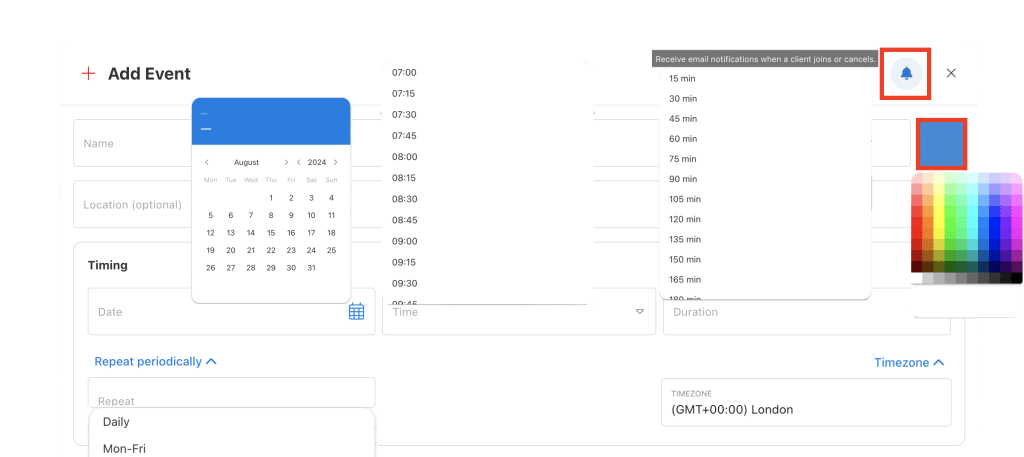
- Recurring events: Schedule sessions to repeat daily, Mon–Fri, every other day, weekly, or monthly
- Multiple booking calendars: Create separate calendars for different venues and services — useful if you train clients across multiple locations
- Timezone-aware booking: Calendar events automatically adjust to each client’s timezone based on their app settings — essential for online coaching
- My Services templates: Save preset bookable session types (e.g. 60-min 1:1, 30-min check-in, group class) to speed up event creation
- Customisable visibility: Control exactly which clients or groups can see and book your calendar
- Calendar statistics: View historical booking data for any trainer, including attendance summaries by month — or receive it automatically as a daily email digest
- Push notifications: Receive instant notifications for all calendar events and bookings
What sets it apart:
- Scheduling is connected to programme delivery — when a client books a session, you can see their current programme, recent progress, and notes all in one view
- No need to juggle separate scheduling and coaching platforms
- Multi-trainer support: share booking calendars across your team and manage venue availability collectively
- Clean, professional client experience across booking, training, and communication
Best for: Personal trainers who want scheduling fully integrated with programme design, client management, and progress tracking — without paying for multiple separate tools.
Pricing: Plans start at $30/month, which includes the full booking calendar alongside workout programming, client communication, and progress tracking. See all plans.
2. Acuity Scheduling (Squarespace) — Best Standalone Scheduler
Acuity Scheduling is a dedicated booking tool that’s popular across service industries, including personal training. Now owned by Squarespace, it offers a polished booking experience.
Scheduling features:
- Customisable booking page with your branding
- Automated email and SMS reminders
- Package and membership management
- Payment collection via Stripe, Square, or PayPal
- Intake forms and questionnaires
- Time zone detection for online clients
Limitations:
- No workout programming or delivery features
- You’ll still need separate software for coaching and client management
- The free tier was discontinued — all plans are now paid
Best for: Trainers who already have a coaching platform and just need a powerful standalone scheduling tool.
Pricing: From $16/month (Emerging plan) to $49/month (Powerhouse plan).
3. Calendly — Best for Simple Booking
Calendly is the minimalist’s scheduling tool. If you want something that takes five minutes to set up and just works, Calendly is a solid choice.
Scheduling features:
- Simple booking link you can share anywhere
- Automatic time zone detection
- Google, Outlook, and iCloud calendar sync
- Buffer times between appointments
- Group events and round-robin scheduling
- Basic payment collection (paid plans)
Limitations:
- Very basic fitness-specific features — it’s a generic scheduling tool
- No workout programming, client management, or coaching features
- Limited customisation on the free plan
- Per-seat pricing can add up for team environments
Best for: Solo trainers who want the simplest possible booking system and don’t mind using separate tools for everything else.
Pricing: Free for basic features; Professional plan from $10/month per seat.
4. Mindbody — Best for Large Studios
Mindbody is the industry giant in fitness business management. It’s a comprehensive platform covering scheduling, payments, marketing, and staff management — but it comes with enterprise-level complexity and pricing.
Scheduling features:
- Full class and appointment scheduling
- Client app with self-service booking
- Waitlist management
- Multi-location support
- Staff scheduling and payroll integration
- Marketing tools and client acquisition features
Limitations:
- Expensive — pricing starts much higher than alternatives
- Steep learning curve with complex setup
- Overkill for solo trainers or small operations
- Long-term contracts may be required
- Limited workout programming features compared to coaching-focused platforms
Best for: Large studios and gyms with multiple staff, locations, and complex scheduling needs.
Pricing: From $139/month — significantly more than other options.
5. PTminder — Best for Business Management
PTminder combines scheduling with broader business management features, making it a good fit for trainers who need CRM, invoicing, and scheduling in one package.
Scheduling features:
- Appointment and class scheduling
- Client booking portal
- Automated reminders
- Session package tracking
- Staff scheduling for multi-trainer operations
- Reporting on attendance and revenue
Limitations:
- The coaching and programme design features are less developed than dedicated training platforms
- Interface can feel dated compared to newer competitors
Best for: Trainers who run a small studio and need combined scheduling, payments, and basic business management.
Pricing: From $15/month with tiered plans based on features.
6. Google Calendar + Google Forms — Best Free Option
If you’re just starting out and budget is tight, you can build a basic scheduling system using free tools you probably already use.
How it works:
- Create a Google Form with your available time slots
- Link responses to a Google Sheet for tracking
- Manually add confirmed bookings to Google Calendar
- Use Google Calendar’s built-in reminders
Limitations:
- Entirely manual — no automation, no self-service booking
- No payment integration
- Doesn’t scale well past 5–10 regular clients
- Looks unprofessional compared to dedicated tools
- High risk of double-bookings and scheduling errors
Best for: Brand new trainers with fewer than 5 clients who need zero overhead costs.
Pricing: Free (but you’ll pay in time and missed bookings).

Comparison Table
| Platform | Starting Price | Online Booking | Reminders | Payments | Coaching Tools | Best For |
|---|---|---|---|---|---|---|
| Trainero | $30/mo | Yes | Yes | Yes | Full suite | All-in-one coaching |
| Acuity | $16/mo | Yes | Yes | Yes | None | Standalone scheduling |
| Calendly | Free/$10 | Yes | Yes | Paid only | None | Simple booking |
| Mindbody | $139/mo | Yes | Yes | Yes | Limited | Large studios |
| PTminder | $15/mo | Yes | Yes | Yes | Basic | Business management |
| Google Calendar | Free | Manual | Basic | No | None | Beginners |
How Scheduling Software Reduces No-Shows
No-shows are one of the biggest revenue killers for personal trainers. The average no-show rate in the fitness industry is 20–30%, but automated scheduling tools can cut that dramatically.
How scheduling software helps:
- Automated reminders: Sending SMS reminders 24 hours and 2 hours before a session reduces no-shows by an average of 38%
- Easy rescheduling: When clients can move their session with a few taps instead of an awkward text, they reschedule instead of just not showing up
- Cancellation policies: Enforcing a 24-hour cancellation window with automatic late-cancellation fees changes client behaviour
- Prepayment: Clients who’ve already paid are significantly less likely to skip a session
- Recurring booking: Regular slots become habits — “Tuesday at 7am” becomes part of the client’s routine
Even reducing no-shows by just 2–3 sessions per month at $75 per session saves you $150–225/month — which more than covers the cost of any scheduling software on this list.
Setting Up Your Scheduling System: A Quick Guide
Regardless of which platform you choose, follow these steps to maximise your scheduling efficiency:
- Define your availability: Block out specific hours for training, admin, marketing, and personal time. Don’t leave your entire day open.
- Set buffer times: Add 15–30 minutes between sessions for transition, notes, and preparation.
- Create session types: Set up different bookable session types (1:1 training, assessment, small group, online check-in) with appropriate durations and pricing.
- Enable automated reminders: Configure at least two reminders — 24 hours and 2 hours before the session.
- Set cancellation policies: Require 24-hour notice for cancellations. Enforce it consistently.
- Share your booking link everywhere: Website, social media bio, email signature, business cards. Make it effortless for clients to book.
- Review weekly: Spend 10 minutes every Sunday reviewing the upcoming week and identifying any gaps or issues.
The Bottom Line
Every hour you spend on manual scheduling is an hour you’re not coaching, not marketing, and not growing your business. The right scheduling software pays for itself within the first month through reduced no-shows and recovered time alone.
For personal trainers who want scheduling that’s seamlessly connected to their entire coaching workflow — programme design, client communication, progress tracking, and more — Trainero offers the most integrated experience available, starting at just $30/month.
Stop playing calendar Tetris. Try Trainero free and see how integrated scheduling transforms your coaching business.

Unlock your fitness potential with Trainero! Get a 14-day free trial and access personalized workout plans, expert coaching, and progress tracking—all in one app. No commitments, just results. Start your free trial today and take your fitness journey to the next level!