Workout Builder for Personal Trainers: Build Client Programs in Minutes
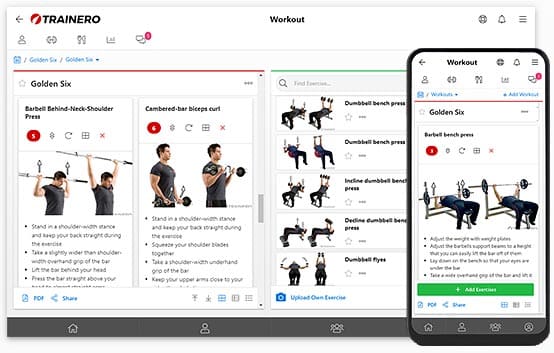
A workout builder is software that lets a personal trainer create, assign and update client training programs from one exercise library, instead of copying them between spreadsheets, PDFs and messages. The client opens the program on their phone, logs their sets, and the trainer sees the results. This guide shows what a good workout builder should do and how building a program works step by step in Trainero’s workout builder.
Comparing whole platforms rather than just the program builder? Our personal trainer software guide covers billing, client management, pricing and how to choose.
What a workout builder should do
Most trainers start with a spreadsheet. It works for five clients and breaks at twenty: every program is a copy, results live in another file, and nobody knows which version the client is looking at. A workout builder should fix exactly those problems.
- A large exercise library with video, searchable by name, muscle, equipment and type, so you are not filming every movement yourself.
- Your own exercises and instructions, saved once and reused, and shared with your co-trainers.
- Fast building: add an exercise with one click, reorder by drag and drop, and reuse templates instead of starting from zero.
- Flexible sets and reps tables: target weights, rest periods, per-set notes and heart rate zones for cardio.
- Supersets and giant sets for real programming, not just lists of exercises.
- Client logging and progress graphs, so you can see what was actually lifted and adjust the next block.
- Delivery to the client’s phone, with a calendar, plus a PDF option for clients who do not use an app.
| Task | Spreadsheet or PDF | Workout builder |
|---|---|---|
| Find an exercise demo | Search YouTube, paste a link | Pick from the library with video |
| Reuse a program | Copy the file, edit by hand | Copy the plan or use a template |
| Client logs results | Separate sheet or chat message | Logged per set in the client app |
| See progress | Build your own chart | Graph per exercise and per set |
| Change the plan mid-week | Send a new file | Edit once, client sees it instantly |
How to build a workout plan in Trainero
1. Find exercises
Trainero’s exercise collection has over 2,000 exercises with images or videos, covering weight training, cardio, stretching, pilates, yoga and circuit training. Each exercise comes with default instructions in 38 languages. Search by name, target muscle, equipment or type, save your favourite searches, and star the exercises you use most.
Missing something? Upload your own exercise with a photo or video, write the instructions, and it becomes available to your whole team.
2. Add exercises and set the details
Click an exercise and it is added to the plan. The library stays open on the right side of the screen, so you never jump between pages. Reorder by drag and drop, replace exercises, and edit names or instructions. Your edited instructions are remembered the next time you use the exercise.
For each exercise you can set sets and reps, target weights, rest periods and instructions for each set, and heart rate zones for cardio. You also see the client’s last entered weights without digging through old results.
- Over 70 sets and reps templates, for example Tabata or HIIT 1:3, added with one click.
- Supersets and giant sets: link two or more consecutive exercises and they are colour coded for the client.
- Workout Wizard builds a complete plan in under 60 seconds based on the client, and you edit the result as you like.
3. Schedule it and share it
Add the plan to the client’s calendar, then invite the client to the Trainero client app on iOS or Android. They see their workouts, calendar and progress in one place. If a client only wants a document, send the plan as a PDF with your logo, to one or many clients at once.
4. Follow progress and adjust
You and your client can both enter results for each workout day and each set. Progress is shown as a graph for every exercise and even for every set, and skipped exercises are easy to spot. Combine this with progress tracking for body weight, measurements or your own tracking items.
TRY THE WORKOUT BUILDER
Build your first client program in minutes.
2,000+ exercises, 70+ sets and reps templates, supersets and a client app for iOS and Android. 14-day free trial.
More than a workout builder
Programs rarely live alone. In Trainero the workout builder works together with the rest of the coaching platform:
- Nutrition plans built from over 4,000 food items, in the same client app.
- Online coaching timelines that deliver workouts, videos, tasks and messages on set dates, for one client or a whole group.
- Chat, groups and unlimited co-trainers in the coach app.
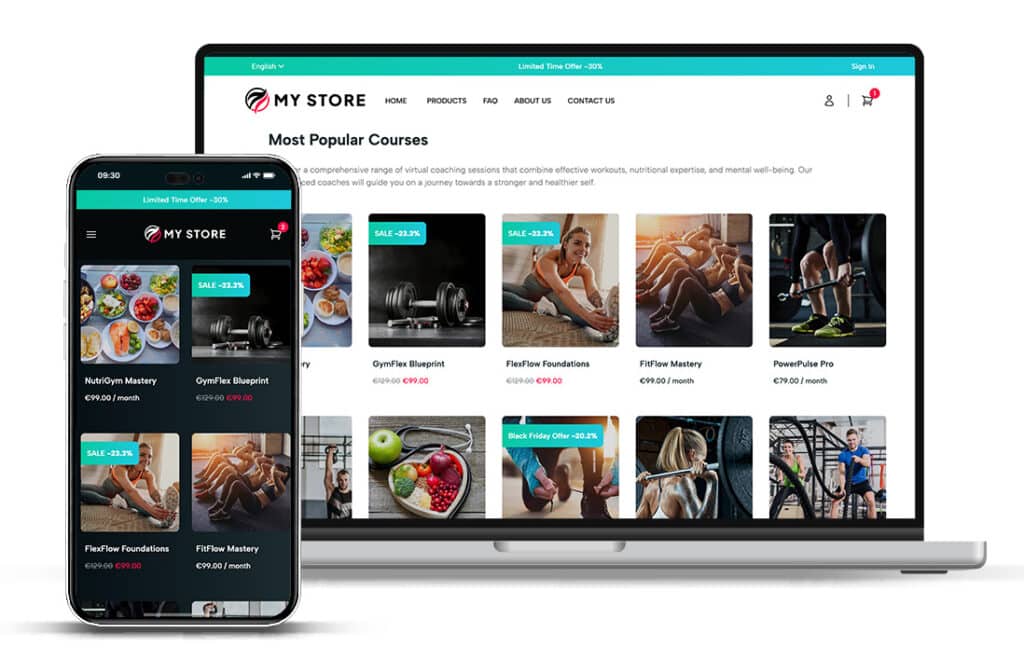
- A built-in online store for selling programs, and a white label client app under your own brand.
Pricing
All Trainero plans include every feature with unlimited clients, groups and co-trainers. The difference is how many plans you can keep active (one workout plan with several daily workouts counts as one plan).
| Plan | Price | Plans included |
|---|---|---|
| Premium | $30 / month | Up to 200 plans |
| Ultra | $60 / month | Up to 600 plans |
| White Label | Contact sales | Unlimited plans, client app with your own brand |
Prices from the Trainero pricing page at the time of writing. Every plan starts with a 14-day free trial.
How Trainero compares
If you are switching from another tool, these comparisons go deeper: Everfit vs Trainero, TrueCoach alternative, PT Distinction alternative and Zenfit alternatives.

Unlock your fitness potential with Trainero! Get a 14-day free trial and access personalized workout plans, expert coaching, and progress tracking—all in one app. No commitments, just results. Start your free trial today and take your fitness journey to the next level!